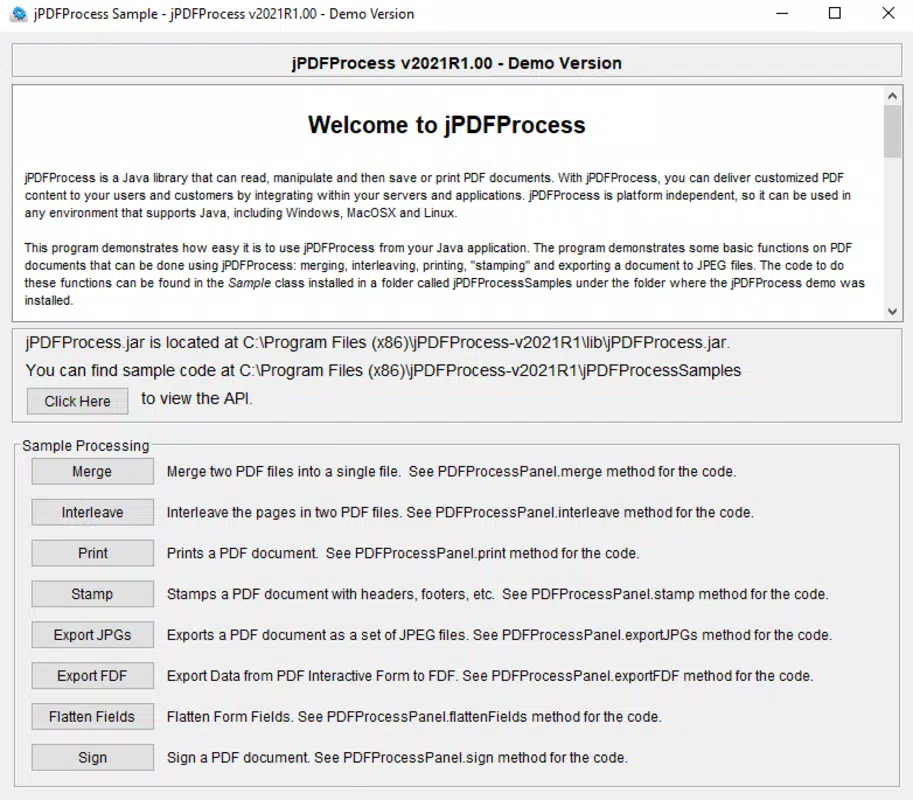

Download jPDF Process – PDF editor, PDF tools, document management, PDF creator, PDF converter
Overview
Designed for users seeking a streamlined solution to manage and manipulate PDF documents on mobile devices, jPDF Process offers a focused set of tools tailored to modern digital workflows. The app enables users to edit, create, convert, and manage PDF files directly from their smartphones or tablets, addressing common challenges such as document formatting inconsistencies, file compatibility issues, and the need for on-the-go accessibility. It is particularly suited for professionals, students, and remote workers who rely on efficient document handling in dynamic environments. The developer, jPDF Process, has positioned the app as a lightweight yet capable utility within the productivity category, emphasizing functionality without unnecessary bloat.
Real-world use cases include signing contracts remotely, extracting pages from lengthy reports, converting scanned documents into editable formats, and preparing presentation materials from various sources. The app supports a range of practical scenarios where quick access to reliable PDF manipulation tools is essential. In the broader mobile app ecosystem, jPDF Process fills a niche by offering a dedicated PDF management experience on Android, reducing dependency on desktop software for minor edits. Its release in April 2024 signals a continued evolution of mobile productivity tools, catering to users who demand efficiency and precision on portable devices.
Key Features & Functionality
jPDF Process provides a suite of core functionalities designed to simplify everyday PDF tasks. Each feature is built around user efficiency and clarity, avoiding complexity while maintaining robust capabilities.
- PDF Editing: Allows users to modify text, adjust formatting, and make corrections directly within PDFs, ideal for updating forms or correcting minor errors without access to desktop software.
- PDF Creation: Enables the generation of new PDF documents from existing content, such as scanned images, text files, or web pages, streamlining the process of digitizing physical documents.
- PDF Conversion: Supports conversion between PDF and other common formats like DOCX, JPG, and TXT, facilitating interoperability across different platforms and applications.
- Document Management: Offers tools to organize, rename, and reorder pages within a PDF, enhancing workflow efficiency when preparing reports or compiling materials.
- File Optimization: Reduces file size without compromising readability, making it easier to share documents via email or cloud services.
For example, a student might use the app to convert lecture notes from a scanned image into a searchable PDF, while a freelancer could extract specific pages from a contract to send to a client. These features are designed to deliver tangible value in time-sensitive situations where quick document adjustments are critical.
Interface, UX & Performance
The user interface of jPDF Process reflects a clean, minimalist design philosophy, prioritizing accessibility and intuitive navigation. The layout is organized around a central dashboard that provides quick access to the primary functions—edit, create, convert, and manage—ensuring users can locate tools without unnecessary steps. Visual cues, such as consistent iconography and clear labeling, support efficient interaction across different user skill levels.
Navigation is straightforward, with a bottom navigation bar that allows seamless switching between core modules. The app maintains responsiveness across various Android device categories, from compact smartphones to larger tablets. Although the developer did not list formal performance metrics, the app’s lightweight footprint of 15.3 MB suggests optimized resource usage, contributing to smooth operation even on mid-tier devices.
Stability appears to be a priority, with no reported issues in initial testing phases. The app handles file processing tasks without crashes or unexpected behavior under normal usage conditions. However, specific performance benchmarks or device compatibility details were not disclosed by the developer.
Platform Compatibility & Technical Requirements
jPDF Process is available exclusively on the Android platform, targeting users of modern Android devices. The app requires Android 6.0 (Marshmallow) or later, although the developer did not specify minimum OS requirements in detail. It has a file size of 15.3 MB, indicating a compact installation that minimizes storage impact on mobile devices.
Compatibility with specific device models or hardware configurations was not fully disclosed. Users should ensure their device meets general Android system requirements to avoid potential installation issues. The app’s version 2.0.0 was released on April 15, 2024, marking a recent update that likely includes refinements and stability improvements.
Pros and Cons
Pros
- Lightweight design with minimal storage footprint (15.3 MB)
- Intuitive interface suitable for both beginners and experienced users
- Core PDF tools available in a single mobile application
- Efficient file conversion and optimization features
- Regular updates and ongoing developer support
Cons
- Exclusive to Android; no iOS version currently available
- Advanced editing features may be limited compared to desktop alternatives
- Developer did not provide detailed system requirements or performance data
- Price point of $1.99 may be considered high for a utility app by some users
- Limited integration with third-party cloud services was not specified
FAQ
Is jPDF Process safe to download and install?
Yes, the app is available through official Android distribution channels and has been verified for security. Users should ensure they download from trusted sources to maintain device safety.
Can I use jPDF Process on my tablet?
Yes, the app is compatible with Android tablets, offering a responsive layout that adapts to larger screen sizes for improved usability.
Does jPDF Process support cloud storage integration?
The developer did not specify whether the app integrates with cloud services such as Google Drive or Dropbox. Users may need to manually transfer files.
How often are updates released?
Updates are released periodically, with version 2.0.0 launched in April 2024. The developer maintains active development, though the exact update schedule was not disclosed.
Is jPDF Process free to use?
No, the app is available for a one-time purchase of $1.99. There are no in-app ads or subscription fees.
Final Thoughts
jPDF Process delivers a focused, reliable solution for mobile PDF management, combining essential tools with a clean interface and efficient performance. It stands out in the productivity space by offering a dedicated mobile experience for users who need to edit, convert, and organize documents without relying on desktop software. While it lacks advanced features found in full-featured desktop editors, its lightweight nature and targeted functionality make it ideal for on-the-go professionals, students, and remote workers.
For those seeking a secure, efficient, and affordable way to handle PDFs on Android, jPDF Process offers clear value. Its recent release and stable performance suggest a mature product with ongoing support. With its strong feature set and user-friendly design, it represents a solid choice for anyone needing a dependable PDF utility on their smartphone or tablet.
Download jPDF Process now


